
Business
All-In-One Event Boost: Best Online Tools For Planning & Promoting Events

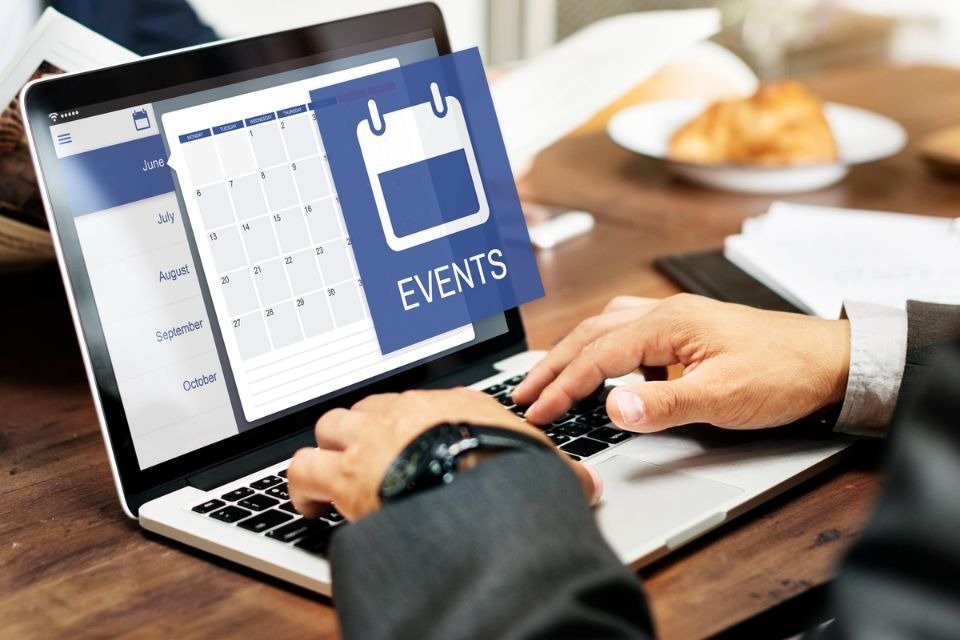
Event planning often breaks down in the same places: scattered details, unclear ownership, and promotion that starts too late. The right online tools fix that by centralizing registration, tightening timelines, and making marketing repeatable instead of frantic. A simple stack saves hours while improving the attendee experience because fewer things slip through the cracks. The goal is to plan faster, promote smarter, and measure what actually drove turnout.
Centralize registration, tickets, and attendee comms in one hub
Reduce chaos by running signups, confirmations, and attendee messaging from one platform. Eventbrite is a common option for event creation, registration, and ticketing, especially for public-facing events. For larger, more complex programs, Cvent positions itself as end-to-end event marketing and management software. The unique move is treating your event page like a landing page: one clear promise, one audience, and one friction-free CTA. Publish early, then update speakers and agenda details as you confirm them, rather than waiting for perfection. Stability builds trust and reduces support emails.
- Page checklist: promise → agenda snapshot → pricing/tickets → logistics → FAQ
- Workflow: publish early → add details weekly → lock basics two weeks out
Run your event like a product launch with work management
Events slip when tasks live in people’s heads instead of a shared plan with owners and due dates. Asana helps teams coordinate projects and tasks with visibility across stakeholders. The unique tip is planning around milestones (venue booked, registration live, promo assets ready, run-of-show final) rather than endless micro-tasks. That way, if a milestone slips, you immediately see what’s at risk and can adjust promotion. Use one template per event type so you start organized every time, not from scratch. Keep all notes and links inside the system to avoid “lost in DMs” planning.
- Milestone rule: every task maps to a milestone
- Weekly rhythm: risk review → promo check → ops finalization
Track vendors, budget, and logistics with database-style organization
Spreadsheets work until vendor deliverables and payment timing get complicated. Airtable is built for structured tracking and workflows, which is ideal for vendors, contracts, deadlines, and budgets. The unique move is using three linked tables: Vendors, Deliverables, and Payments—so you can answer “what’s due” instantly. Add a risk flag (green/yellow/red) and sort by risk daily, not by vendor name. Create a “Day-Of view” that shows only times, locations, contacts, and owner assignments. You keep detail without overwhelming the team.
- Fields: owner → due date → dependency → status → risk flag
- Day-of view: schedule + locations + contacts + backups
Promote with email sequences that match how people decide
One announcement rarely fills seats; timed sequences do. Mailchimp supports email marketing and automation, making it useful for structured event campaigns. The unique tip is writing separate angles for three segments: past attendees, new prospects, and partners. Run a short sequence: save-the-date → benefits → proof → last-chance, each email doing one job (reduce uncertainty, increase desire, remove friction). Keep each email to one CTA and one deadline to prevent “I’ll decide later” behavior. Add a reply prompt to surface objections you can answer publicly.
- Sequence checklist: one promise → one proof → one CTA → one deadline
- Measure signups per send, not just opens
Keep social promotion consistent with scheduling + listening
Social works when you’re consistent and responsive to what people ask. Hootsuite combines scheduling, analytics, and listening so you can plan posts and monitor questions in one place. The unique tip is a weekly content stack: speaker spotlight, behind-the-scenes, attendee benefit, and urgency—then rewrite the hook per platform so it feels native. Use listening to catch confusion early (parking, timing, audience fit) and turn those into posts that remove friction. Maintain a “promo floor” you can always hit, because consistency beats bursts. Turn questions into your next captions and FAQ updates.
- Weekly stack: proof + value + reminder
- Fast win: convert comments into posts
Use smarter forms to capture leads and automate follow-up
Different audiences need different forms: sponsors, speakers, volunteers, and attendees shouldn’t all fill out the same thing. Typeform supports interactive forms and templates, helping you collect cleaner data with less drop-off. The unique move is conditional logic so people only see relevant questions, which increases completion. Trigger an immediate next step after submission (calendar link, sponsor deck, confirmation) so leads don’t cool off. Post-event, keep feedback short and action-oriented: ask what to improve first and use it. Then share one improvement publicly to build trust for the next event.
- Form rule: 5–7 questions max + clear next step
- Data rule: only collect what you’ll use
🌟 Invitation Design FAQ for Event Planners
Invitation design is high leverage because it sets expectations before anyone clicks or registers. Great invites reduce confusion and increase response rates by making the essentials instantly scannable. The strongest approach is simple hierarchy: event name, date/time, location, and action line. Consistency across invite, event page, and social graphics increases trust and reduces “is this legit?” hesitation. Make accessibility non-negotiable: readable contrast, legible type, and clean spacing for both screen and print. Here are five invitation-design-only questions planners ask when aiming for better conversions.
1) What invitation layout makes details easiest to scan?
Invitation design performs best when the information hierarchy is obvious: title first, then date/time, then location, then RSVP direction. Use spacing and font weight to guide the eye so the essentials are clear in seconds.
2) What size, resolution, and file type should I use for clean printing?
For invitation design, build at print-ready resolution and keep key text away from trim edges. Export a print-friendly PDF when possible, and proof any small type before sending to print.
3) How can I design and order invitations quickly without advanced design software?
Adobe Express supports fast templates and printing workflows—use it for invitation printing. For additional print options and finishes, VistaPrint and MOO also support invitation design via templates or uploaded files.
4) How do I keep invitation branding consistent across the campaign?
Invitation design stays cohesive when you lock a mini brand kit: two fonts, two core colors, and one logo placement rule. For digital invites with guest list tools, Paperless Post can help you keep a polished look while managing RSVPs.
5) What’s a reliable way to test invitation quality before committing?
Order a small sample run and test invitation design in real conditions: indoor lighting, legibility, and paper feel. If you’re experimenting with styles, Zazzle can be useful for quick iteration across formats.
The best event stack keeps your timeline visible, your promotion consistent, and your attendee experience predictable. Centralize registration, manage milestones, and track vendors in a structured system so fewer details slip. Promote with sequences and content stacks that match real decision behavior, not last-minute hope. Capture the right data before and after the event so each one gets easier to run and easier to sell. Plan in one place, promote with a repeatable rhythm, and measure what drives registrations. The goal: fewer surprises, stronger turnout, and an event people trust enough to recommend.

A Sociological Look at Discord Study Groups and Gen Z Lifestyle

Transforming Your Bedroom into a Personal Sanctuary: A Woman’s Guide to Style and Function in 2026

How The Best Laser For Wrinkles Can Transform Your Skincare Routine

7 Benefits of Hearing Aid in Malaysia for Seniors

Scott Patterson’s First Wife, Vera Davich: Everything You Need to Know

All About Shaherah White: Barry White’s Daughter, Family, and Journey

Understanding Investment Thresholds for Permanent cand Citizenship Pathways

Who Is AJ Lambert? Her Career, Style, and Legacy

Daniella Liben’s Journey: Family, Career, and Life With Adam Pally

6 Ways Dentist In Bensalem, PA Helps Maintain Oral Health

Dixie Brubaker: Life Story of Dinesh D’Souza’s Former Wife

JOP Net Worth 2025: How Rich Is the Fuerza Regida Frontman?

Rouba Saadeh: Life, Career, and Everything About Michele Morrone’s Ex-Wife

All About David Rubulotta – Age, Career, Family, and Life with Erin Burnett

Who is Harry Joseph Letterman? Facts About David Letterman’s Son

Who Is Rebecca Romney? Life, Work, and Personal Story

Who Is Terrence Duckett? Facts About Jasmine Guy’s Ex-Husband

All About Ryan McPartlin: Career, Acting, Family, and More

Cindy Costner Net Worth – Inside the Life of Kevin Costner’s First Love

Who Is Khalyla Kuhn? Life, Family, and Career of Bobby Lee’s Partner
A Sociological Look at Discord Study Groups and Gen Z Lifestyle
Transforming Your Bedroom into a Personal Sanctuary: A Woman’s Guide to Style and Function in 2026
How The Best Laser For Wrinkles Can Transform Your Skincare Routine
7 Benefits of Hearing Aid in Malaysia for Seniors
Scott Patterson’s First Wife, Vera Davich: Everything You Need to Know
All About Shaherah White: Barry White’s Daughter, Family, and Journey
Understanding Investment Thresholds for Permanent cand Citizenship Pathways
Who Is AJ Lambert? Her Career, Style, and Legacy
Daniella Liben’s Journey: Family, Career, and Life With Adam Pally